
Developing a Designer & Developer Friendly Design System Manager
 Kevin Taeyoon Jin
Update
2025-07-16: Figma plugin is now live on the Figma community! You can use @kevintyj/color today on your own projects without downloading and building the repository. Find it here!
TLDR: Ever spent hours copy-pasting color hex codes between Figma and your codebase? Or manually creating 50+ color variations for a single brand palette? I built @kevintyj/design to eliminate the tedious back-and-forth between design and development. It's a complete toolkit that generates production-ready color scales and spacing systems from a single configuration file, outputs to any format (CSS, JSON, Tailwind), and syncs directly with Figma variables. What started as a "quick afternoon project" became a 3-day deep dive into solving one of the most frustrating parts of design system management.
Creating design systems is tedeous
Managing colors and tokens in multiple different projects across different teams has been hard.
- Design->Dev handoff: Going from figma variables to tailwind/css/json formats.
- Managing and prototyping scales: Creating accessible, good looking color palettes and spacing scales fast, for any brand.
- Read more here
- Developer experience: Maintaining "Single source of truth" for design tokens without 5 different conventions.
... Introducing:
@kevinty/design
@kevinty/design is a collection of utils and apps to help designers and developers build better user interfaces. I started with design system management utils for color and spacing management.
- Link to Github
Generation Packages
Application Packages
Why This Actually Matters
If you've ever worked on a design system, you know the drill: designers create beautiful, consistent interfaces in Figma, then developers spend days translating those designs into code. The result? Multiple sources of truth, constant sync issues, and a lot of frustrated teammates.
Here's what typically happens:
- Designer creates a color palette in Figma with 200+ variations
- Developer manually transcribes hex codes into CSS variables
- Product manager requests a brand color update
- Designer updates Figma (5 minutes)
- Developer updates codebase (2 hours)
- QA finds inconsistencies between design and implementation
- Rinse and repeat...
The real cost? A recent survey by Design Systems Survey found that teams spend an average of 12 hours per month just maintaining design token consistency. That's 144 hours per year of pure overhead.
I built @kevintyj/design because I was tired of being the bottleneck between design and development. One configuration file should generate everything you need, everywhere you need it.
But lets be honest, I just really
wantedneeded this tool for a long time, and I actually sat down to finish it.
The Color Journey: From Ambient to @kevintyj/design
Colors have always fascinated me—what seems like a simple visual property is actually one of the most complex topics in digital design, spanning psychology, physics, accessibility, and human perception. The way we perceive color is deeply personal yet surprisingly universal, and creating digital color systems that work across different devices, lighting conditions, and visual abilities is genuinely challenging.
Understanding color digitally means grappling with concepts like perceptual lightness, chroma relationships, gamma correction, color spaces (sRGB vs P3), and how human vision actually processes different wavelengths. It's a rabbit hole that can consume months of research—and I loved every minute of it.
The Ambient Era (2022)
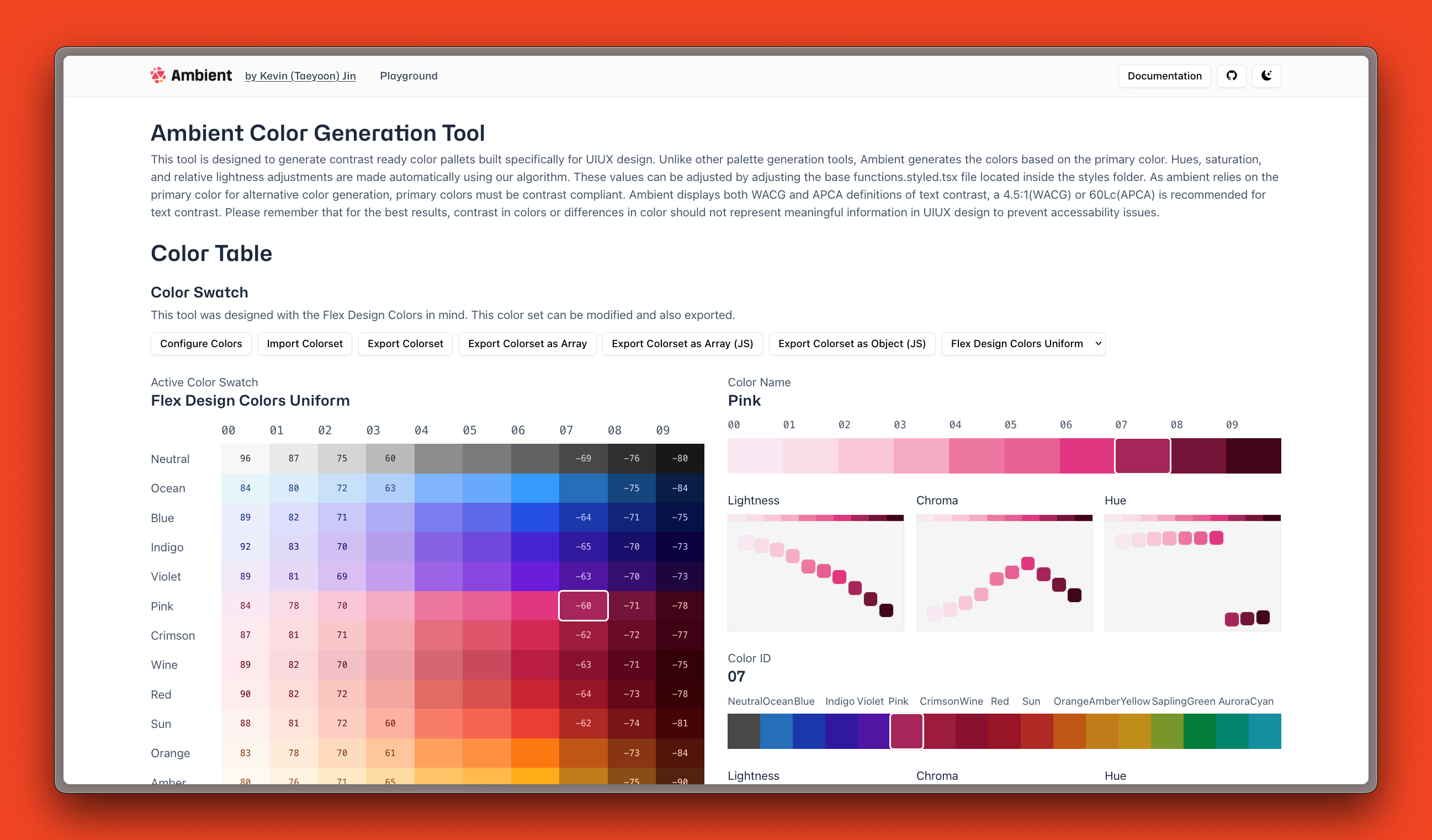
Back in 2022, I built Ambient to solve this exact problem. I spent months researching perceptual color spaces, studying how different hues interact, and building custom algorithms for generating harmonious palettes. This wasn't just another color picker—I was diving deep into the mathematics of color perception.
Ambient's approach was mathematically sophisticated: It used custom color generation algorithms based on perceptual lightness curves and hue relationships. The system analyzed color harmony ratios, calculated optimal contrast progression, and generated scales that were both mathematically sound and aesthetically pleasing. The algorithm considered how colors would look adjacent to each other, how they'd behave in different lighting conditions, and how they'd scale across different interface elements.
The results were genuinely beautiful—so much so that I used Ambient to generate the entire color system for @kevintyj/color, which became my go-to color utility library. As an internal tool, Ambient served its purpose exceptionally well. Our team used it to generate consistent, accessible color palettes across multiple projects, and it taught me invaluable lessons about color theory and design system architecture.
The Search for a Better Solution
However, Ambient required very specific inputs to work well. You needed to provide carefully chosen "bright accent" and "dark accent" colors for each scale, which meant either deep color theory knowledge or hours of experimentation. Most designers just wanted to input their brand blue and get a complete, accessible color scale—but Ambient couldn't do that elegantly.
At this point, I've looked at so many color generation solutions I honestly can't keep track of them all. Design token tools, color palette generators, Figma plugins, CLI utilities—I've tried everything from Adobe Color to Material Design's color system to custom algorithmic approaches to AI-powered palette generators.
Some were too simplistic (basic color wheel relationships), others too complex (requiring color science expertise), most didn't integrate well with existing workflows, and none worked exactly the way I wanted. The landscape was either "click a button, get random colors" or "become a color theorist to use this tool."
Moving Beyond Ambient
However, Ambient required very specific inputs to work well. You needed to provide carefully chosen "bright accent" and "dark accent" colors for each scale, which meant either deep color theory knowledge or hours of experimentation. Most designers just wanted to input their brand blue (#007AFF) and get a complete, accessible color scale—but Ambient couldn't do that elegantly.
I could have spent months improving Ambient's algorithms to handle single-color inputs, but I realized I was solving the wrong problem. The real challenge wasn't better color generation—it was building a system that teams could actually adopt without becoming color theorists.
Why Radix Colors Over Ambient
When I discovered Radix Colors, I realized they had already solved the color science problem I was wrestling with. Instead of spending more time perfecting algorithms, I could focus on the broader workflow problem: seamless integration between design and development.
Radix Colors provided everything Ambient aimed for, but with better usability:
12-step color scale system with specific use cases—app backgrounds, component states, borders, solid colors, and text. Automatic dark mode that works without separate definitions. Alpha variants that blend naturally with colored backgrounds. APCA contrast and accessibility guarantees that pass contrast ratios without manual testing.
You can input any brand color and get a complete, accessible, professionally-designed color scale. No color theory expertise required.
Radix colors generation tool actually has a really interesting color generation algorithm. It references its own scales to find the clsoest contrast safe color and generates hues and steps. Read more about it here and checkout the original algorithm here
The Evolution to @kevintyj/design
@kevintyj/design is Ambient's spiritual successor, but this time I'm leveraging a proven system instead of reinventing color theory. By using Radix Colors under the hood, I could focus on the real problem: the workflow friction between design and development.
Instead of spending months perfecting color generation algorithms, I focused on solving the broader ecosystem problem:
- Multiple output formats: CSS, JSON, Tailwind, Figma variables
- Bidirectional sync: Changes in Figma automatically update code
- Developer experience: CLI tools, validation, seamless integration
- Flexibility: Works with existing design systems, not just greenfield projects
- Zero learning curve: If you can pick a color, you can generate a complete system
This project combines everything I learned from Ambient's deep color science with the pragmatism of battle-tested systems. It's about building for adoption and real-world usage, not just mathematical perfection.
The color science rabbit hole goes deep, and I'm still learning. But this time, I'm building tools that teams can actually use without becoming color theorists first.
If anyone knows of better tools doing exactly this kind of end-to-end design system generation, I'd be genuinely curious to learn about them. The design systems tooling space moves incredibly fast, and I'm always looking to discover new approaches or contribute to existing ones rather than reinventing wheels.
Getting started (CLI)
I intentionally made getting started simple, to generate the default color scale that comes with the project,
Demo of the cli tool from clone to generation
- Clone
gh clone kevintyj/design
- Install Dependencies
bun install
- Build
bun run build
- CLI
bun run system:allorbun run generate
For the CLI to run a configuration file must be provided. The repository comes with a base.ts file that contains the full configuration that you need to get started populated with the color system for Astell (or atleast the prototype).
base.ts
the CLI tool also gives you the ability to seperately generate outputs. Here are some commands I use the most:
bun run system:all: Generates all of the configurations, including figma configsbun run colors:quick: Generates all of the color related generations (CSS & JSON)bun run spaces:quick: Generates all of the spacing related generations (CSS & JSON)bun run figma:all: Generate all figma configs to import into the Figma Plugin
There are a lot more features available in CLI tool. Either checkout the documentation or use bun run generate --help
Figma plugin
I knew that I had to create a figma plugin to really optimize the design -> development workflow. It has always been a hassle updating color scales, though less frequently done, always required updating "multiple sources of truth". The figma plugin allows you to just maintain styling configuration files you need that generates both figma and development variables you need.
Importing color config
To import the color navigate to the Color tab and upload the figma-color.json that was generated or a custom json file in the same format.
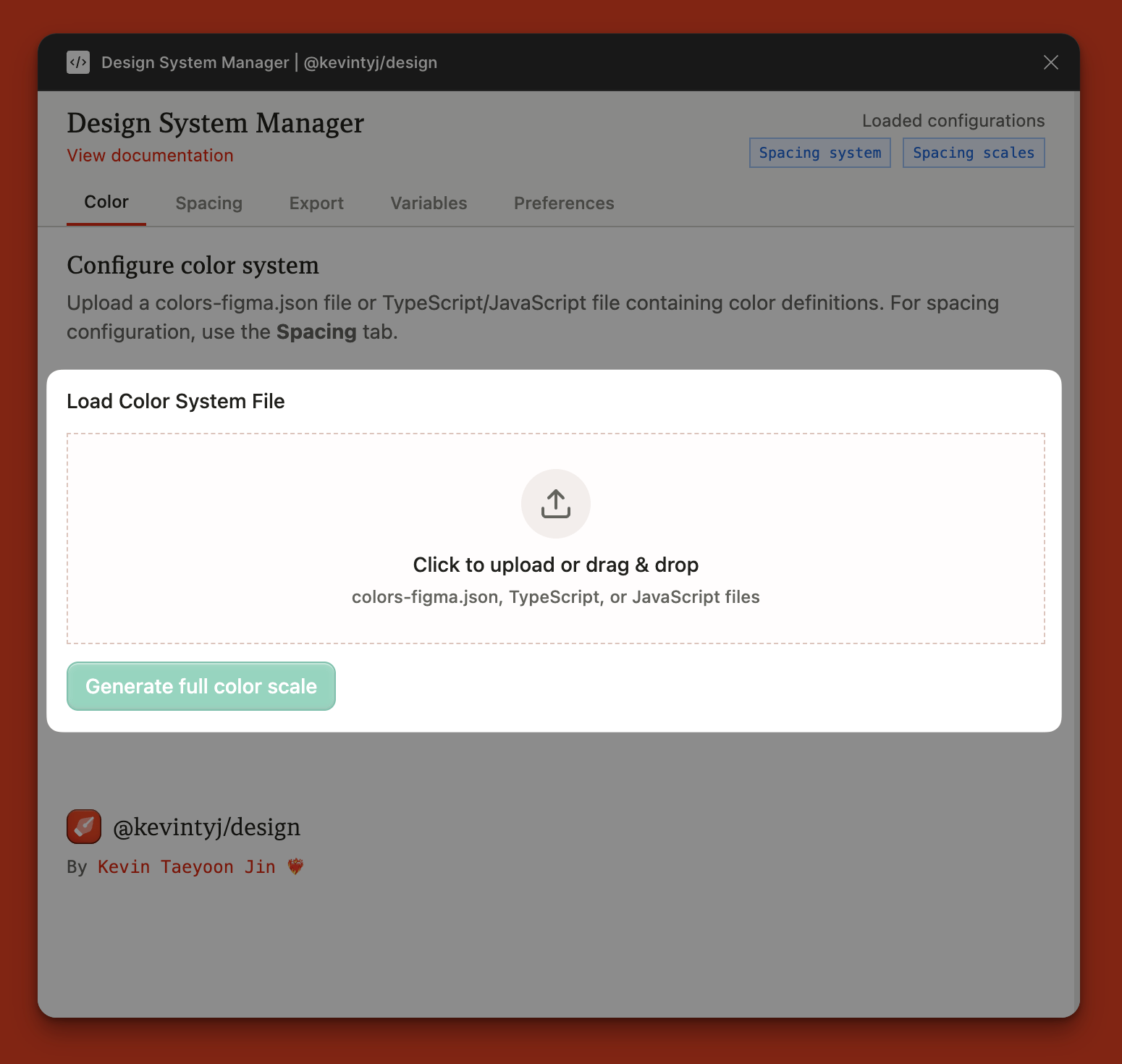 Click dropzone
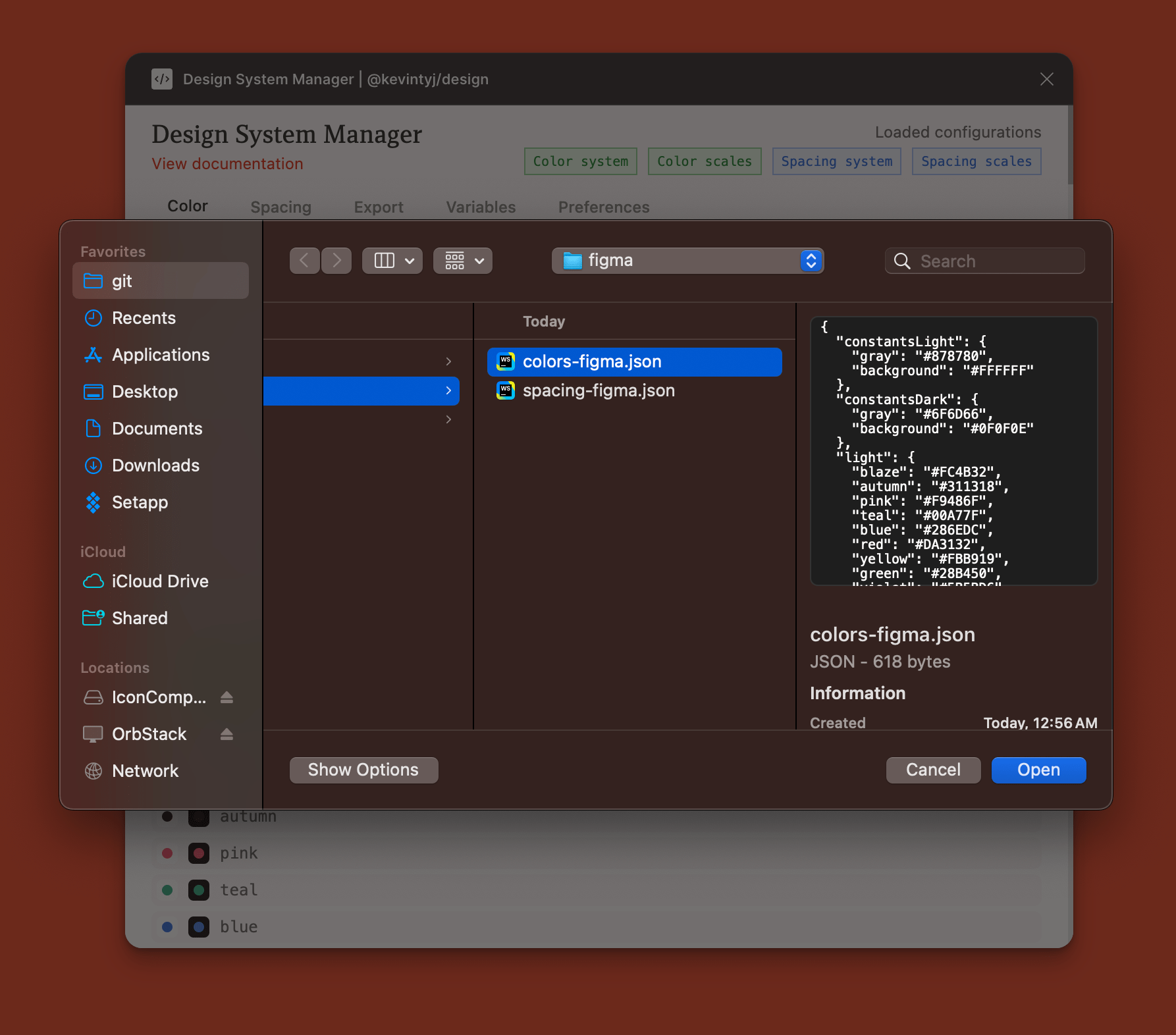 Upload configuration file
The design cofnguration file can also be custom created without using the cli tool by creating four necessary objects within a json body:
constantsLightwhich contain thegrayandbackgroundcolors for light modeconstantsDarkwhich contain thegrayandbackgroundcolors for dark modelightwhich contains all of the accent colors with name as keys and color as valuedarkwhich contains all of the accent colors with names as keys and color as value
figma-color.json
Once you see the Success message,
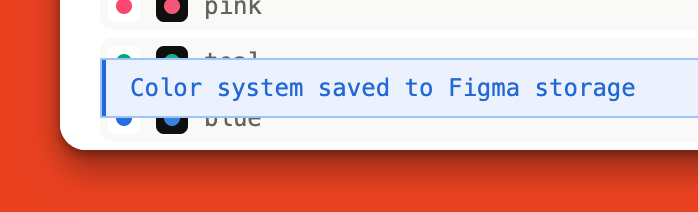
your color should be loaded in, and reagy to generate!
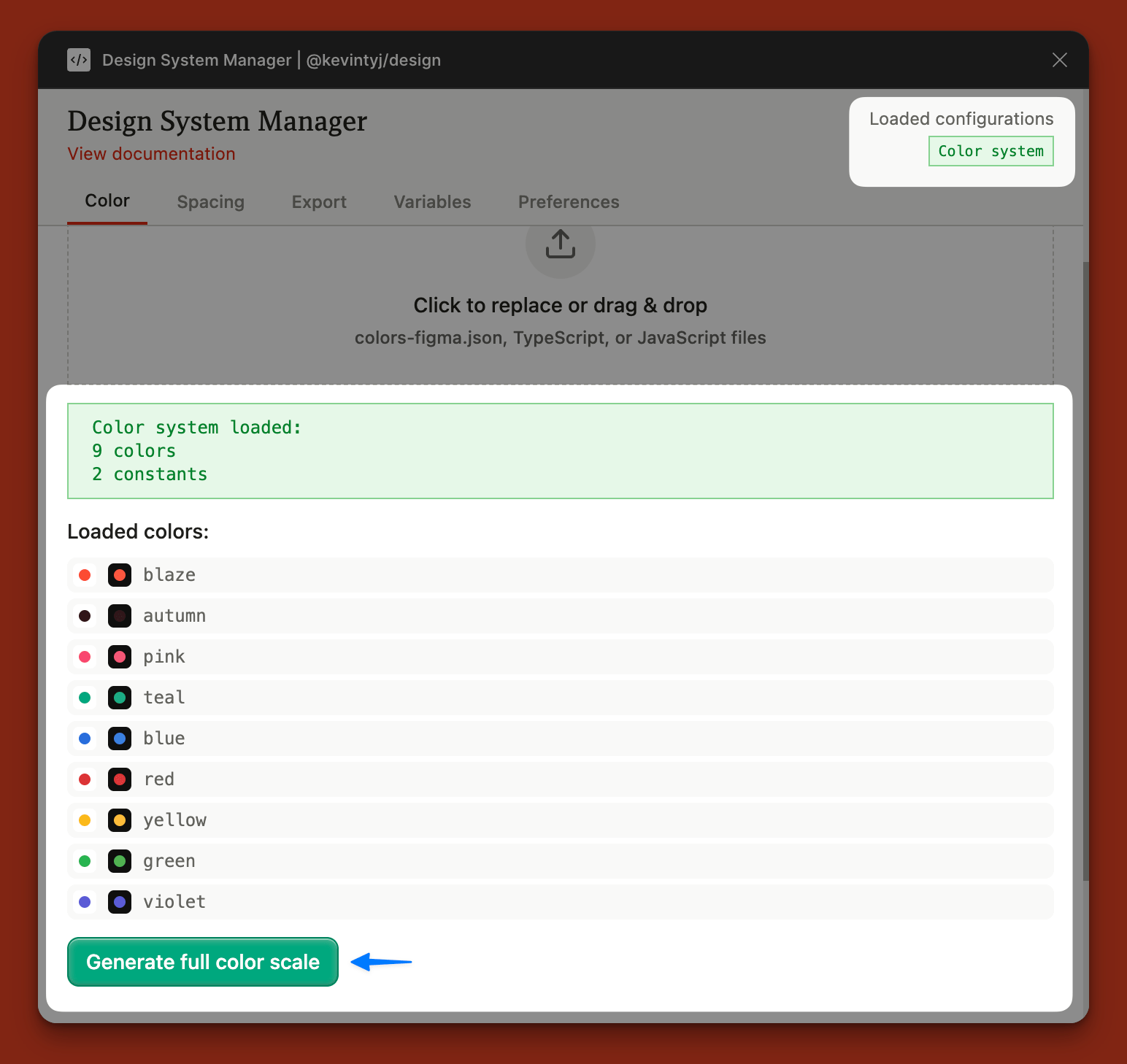 Verify that your spa are loaded in the top right
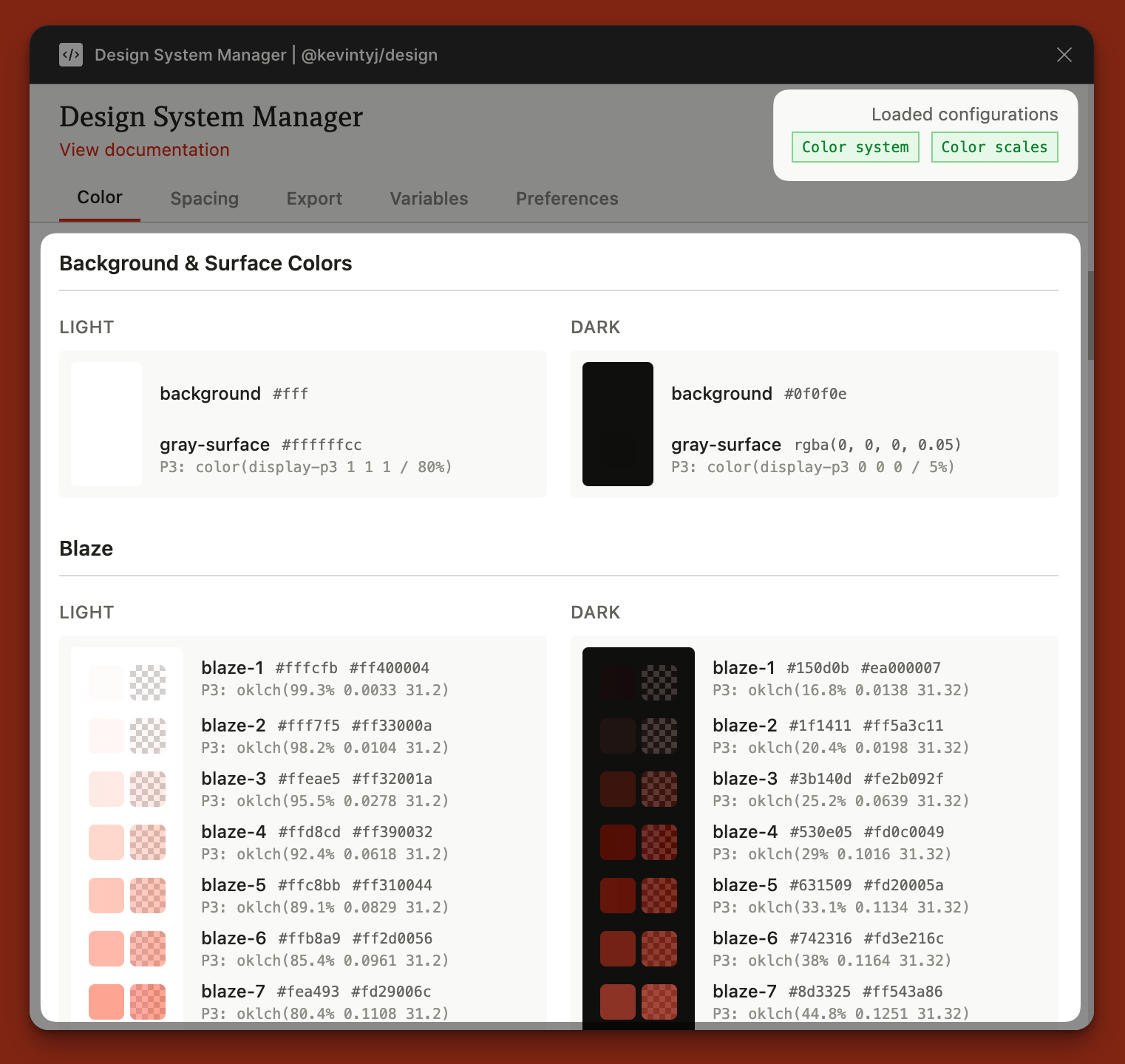 You are good to go when you see both the color config and scales loaded
The color configuration and generation page still have features I would like to see. For example, being able to edit the json within the plugin and or start from a blank editable file. Also, it would be nice to be able to copy the color values when you click on a color chip. Both are small improvements but were not included in the scope of this build.
Importing spacing config
I implemented the spacing config after color config was fully done. Spacing config is a lot more lightweight than the color config and using it is exactly the same as using the color configurator.
The spacing configuration file can also be custom created without using the cli tool by creating three necessary properties within a json body:
spacingMultiplierwhich sets the base multiplier for spacing calculations (in px, tailwind uses 4px/0.25rem for the --spacing variable)remValuewhich defines the base rem value in pixels (typically 16)spacingwhich contains all of the spacing tokens with token names as keys and pixel values as values
figma-spacing.json
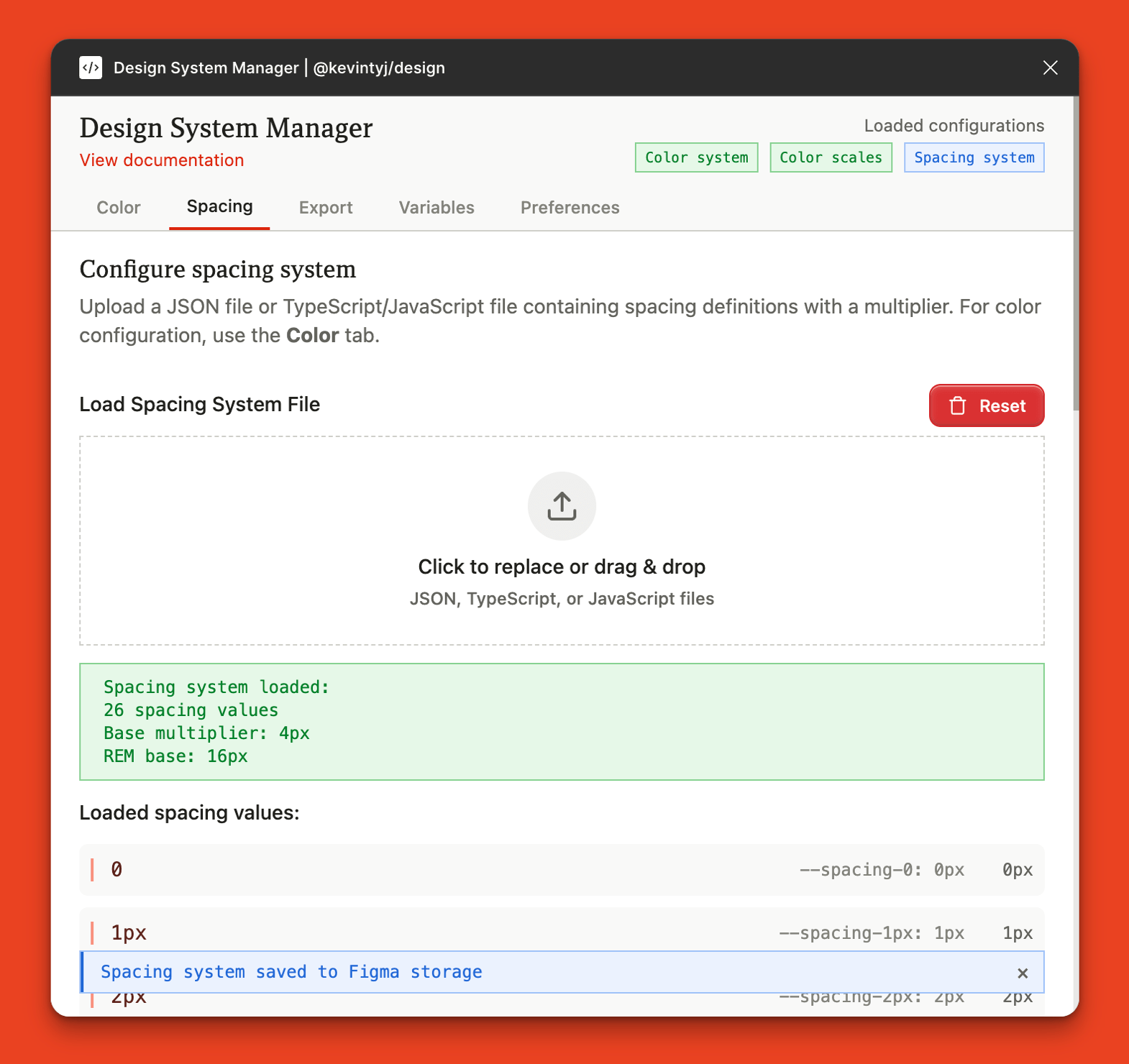 Load in your spacing configuration file that you created or generated from cli
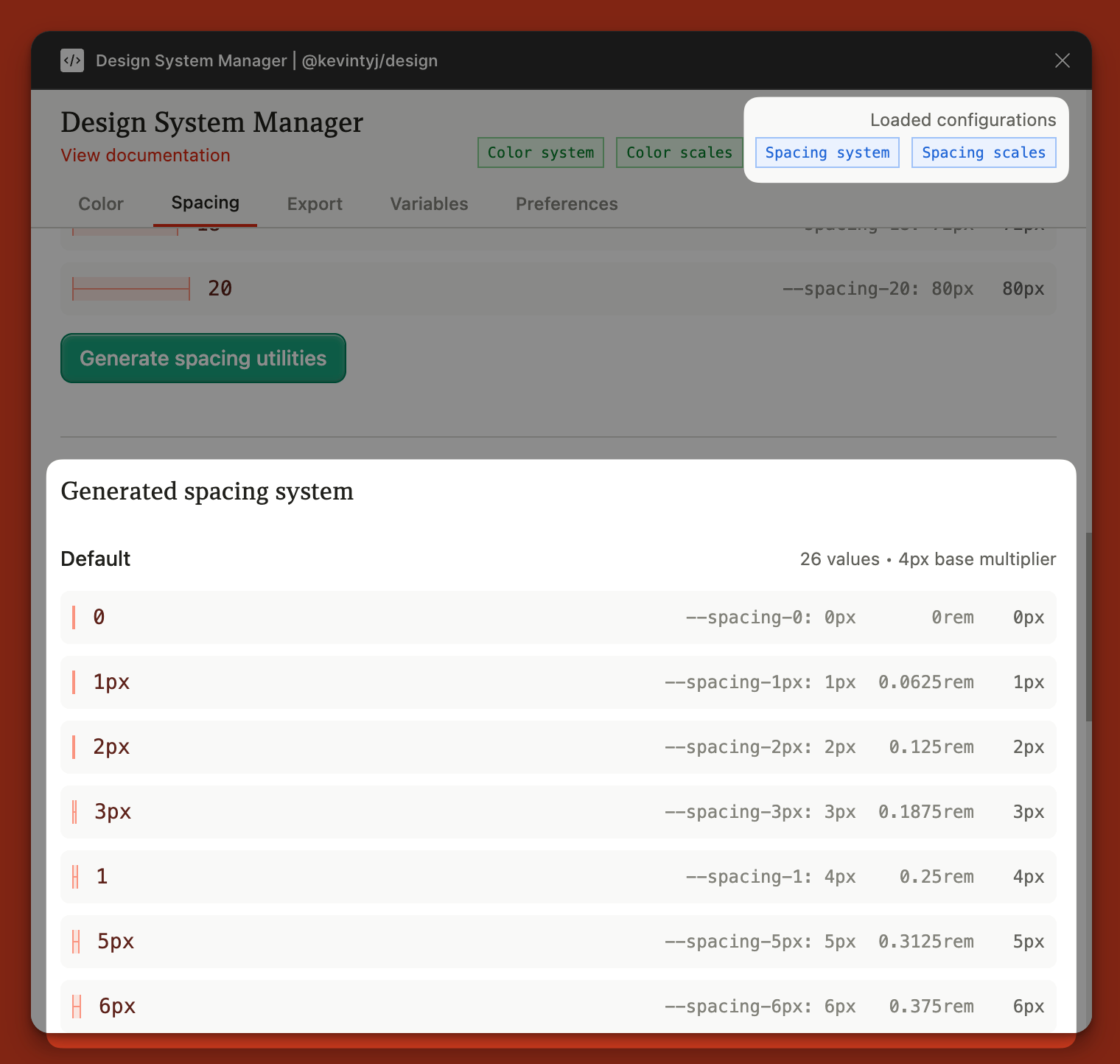 See the magic happen
Exporting
I made the figma plugint to support most if not all of the output formats of the utilities. The only difference is that the cli is able to output a single bundle that generates all configuration files using bun run system:all.
The export features relies either on the uploaded configuration file or the generated scales. This means that if you do not have a certain element uploaded or generated, these features will not be available.
Example screenshot of generating spacing scales being disabled as the spacing scales have not been generated yet
Currently the figma plugin supports the following export methods:
Export color system
- CSS/JSON: Base configurations (gray, background, accent colors)
Export spacing system
- CSS/JSON: Name and values in both formats
Export generated color scales
Multi-format exports (ZIP)
- CSS: full, clean, hexa-only, P3-only variants
- JSON: flat, nested, tokens, Tailwind, collections formats
Single format exports
- Tailwind JSON: Compatible with Tailwind CSS
- Collections JSON: Import back to Figma plugin as variables
Export generated spacing utilities
Multi-format exports (ZIP)
- CSS: combined, px, rem, numeric variants
- JSON: flat, nested, tokens, Tailwind, collections formats
Single format exports
- Tailwind JSON: Compatible with Tailwind CSS spacing
- Collections JSON: Import back to Figma plugin as variables
Variables
Figma variables has always been a paint in the ass to manage. So I tried to make the variable management process within the figma plugin as flexible yet as human readable as possible.
The plugin allows users to export into figma collections json format, a new format that was made for @kevintyj/design which uses the fimga-json package and the corrosponding color and spacing packages to generate collection json outputs which are still human readable and easilt editable with any IDE or consuming it with a program to do automatic manimpulations.
Consider using the
clipackage to help with managing collections json.
The export to Raw variable export returns all the values the figma api gives us, this was helpful to debug so I kept the feature in.
Importing variables from generated colors and spacing
The figma plugin seamlessly imports your generated design tokens directly as Figma variables, creating a true single source of truth for your design system.
Navigate to the Variables tab to access the import functionality once you have generated scales or uploaded configuration files.
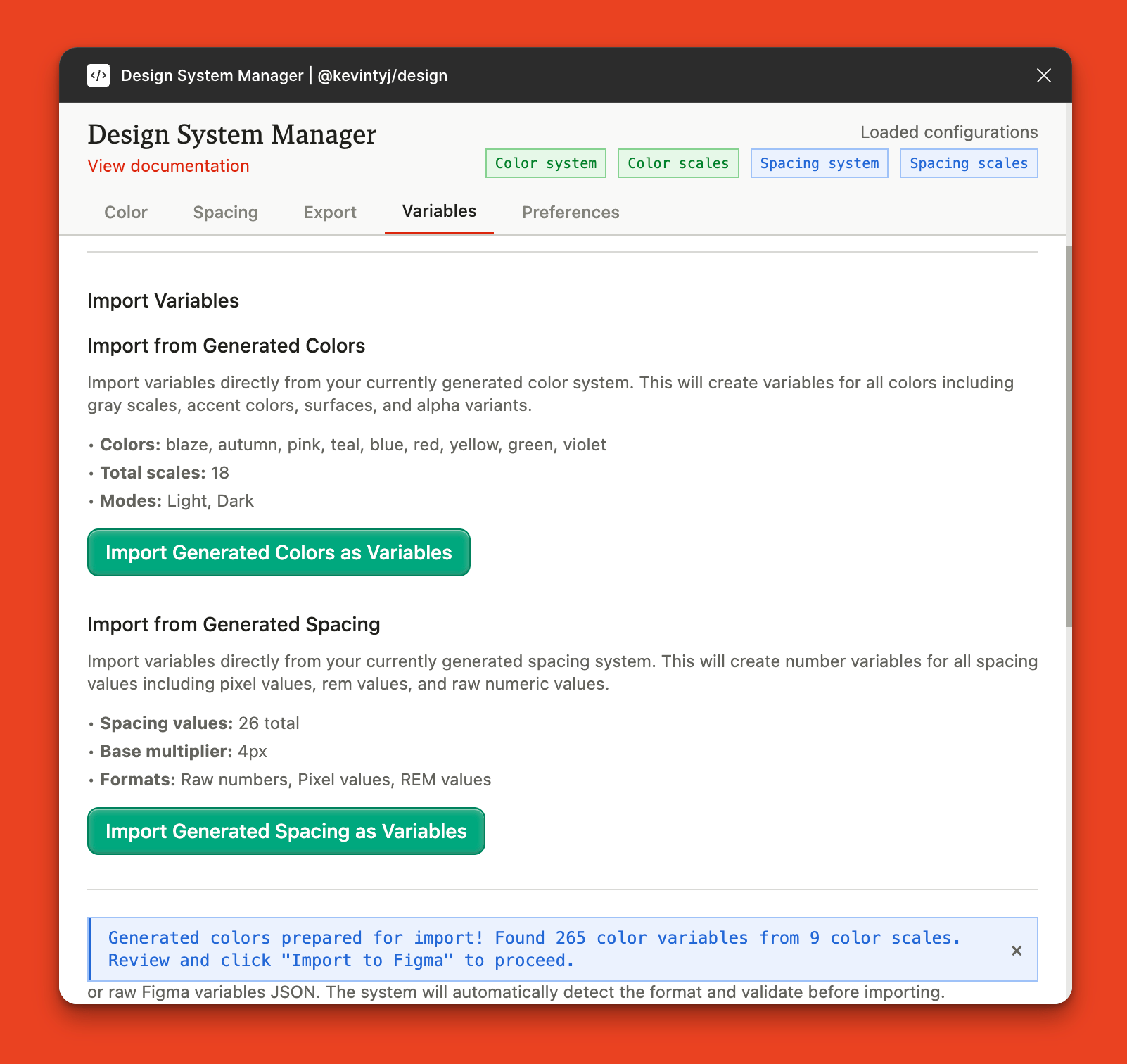 Preview the generated variables available for import
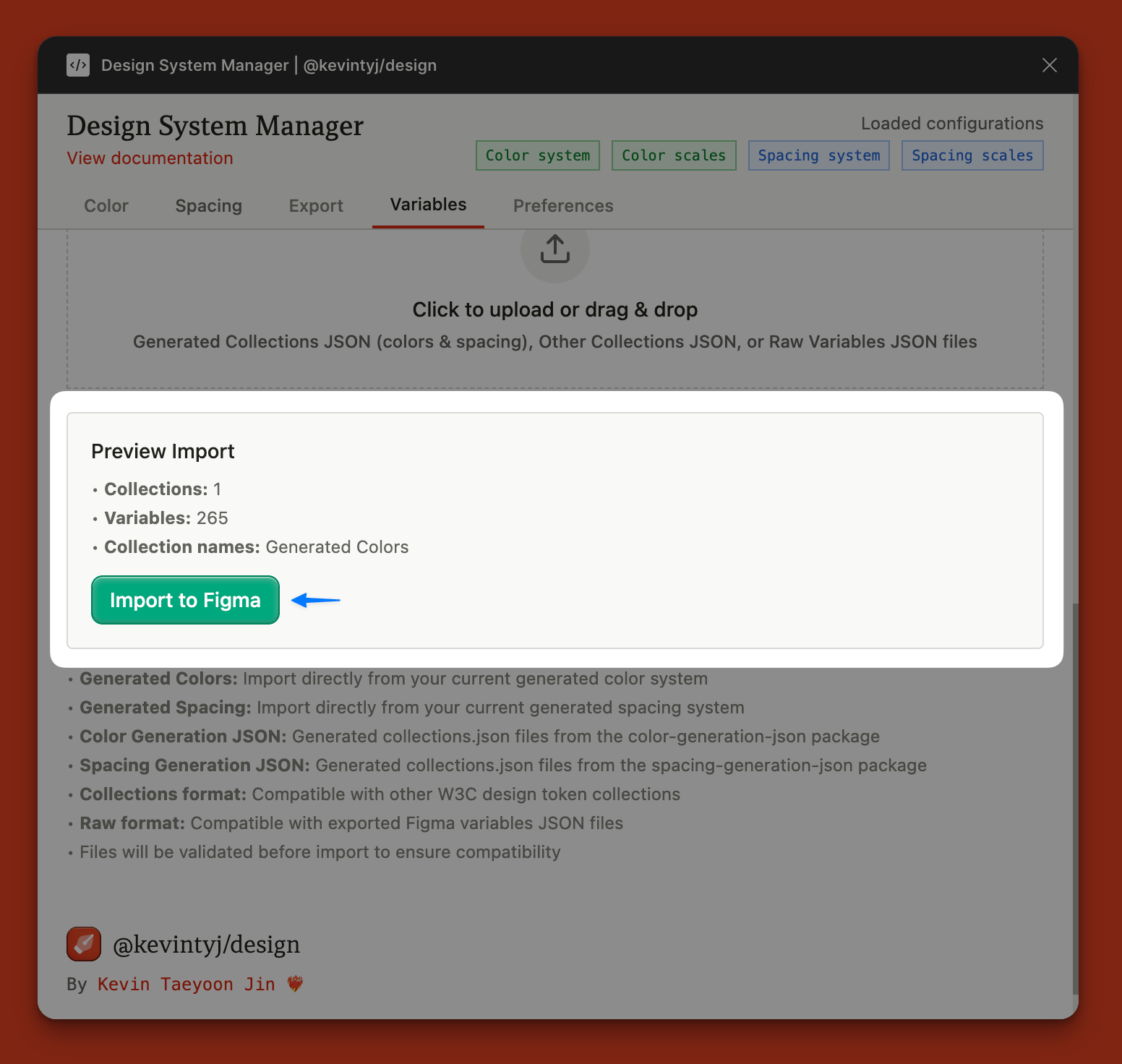 Import variables directly from your generated colors and spacing by scrolling down to the upload section
Import Options
- From Generated Systems: Import color scales (including gray, accent, surfaces, alpha variants) and spacing utilities directly from plugin-generated content
- From Files: Upload Collections JSON, Generated Collections JSON, or Raw Variables JSON files
Format Support
The plugin supports importing from any source, not just @kevintyj/design generated files:
- Collections JSON (W3C standard format)
- Third-party design token tools
- Custom or manually created token systems
- Legacy Figma variable exports
This flexibility allows you to migrate existing design systems or gradually adopt @kevintyj/design without losing existing work. All imports are validated before creation.
Preferences
During development, reloading scales over and over again was a hassle, thats why a simple preferences feature was added to help streamline this process.
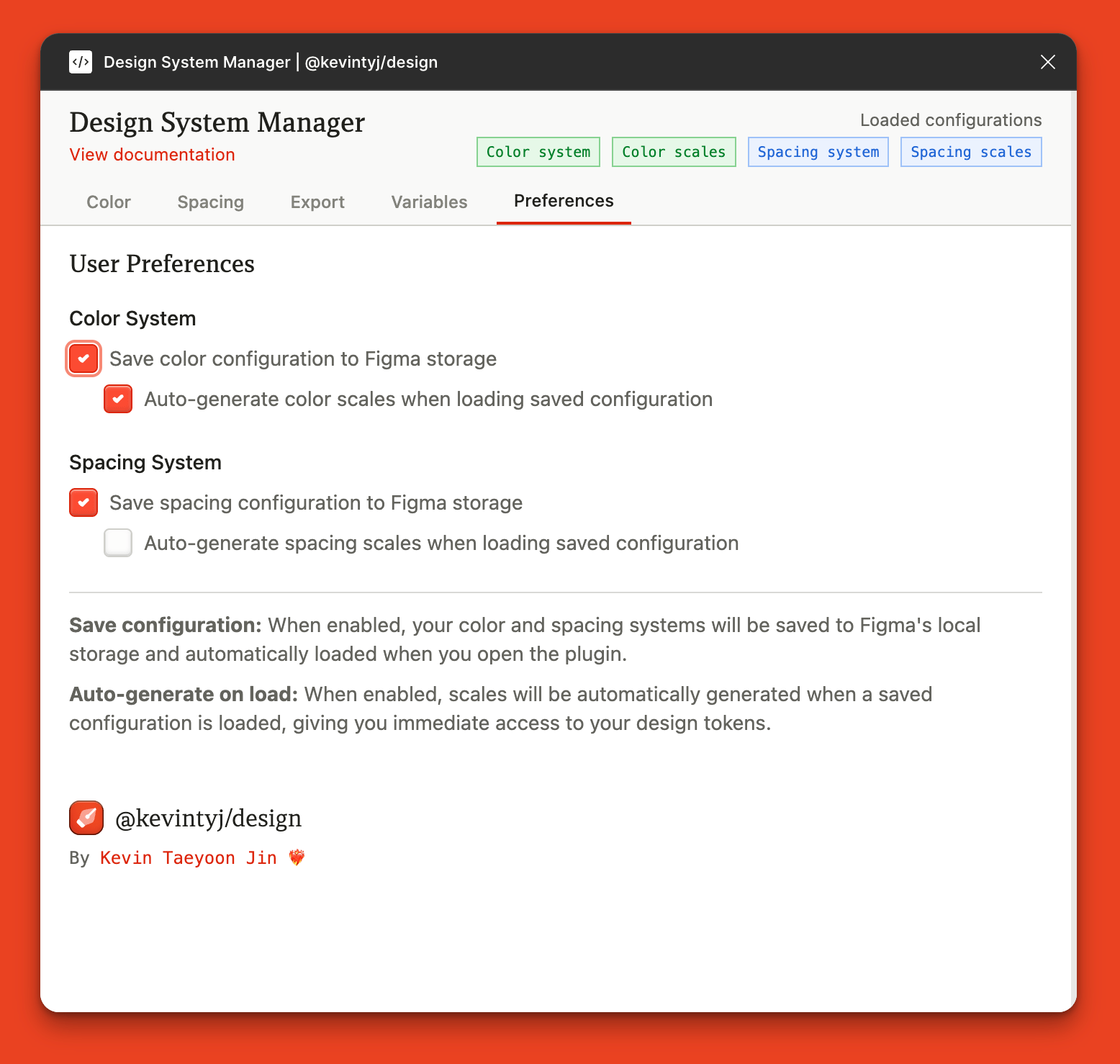
It gives two options for each of the scale options (color and spacing for now):
- Save configuration: Automatically stores and loads your color/spacing systems in Figma.
- Auto-generate on load: Instantly generates scales from saved configurations for quick access.
What's Next?
A lot. haha, What started as a quick afternoon project to solve our internal color management pain became a 3-day deep dive into design system architecture. But that's exactly why I'm excited about where this is heading.
Immediate Roadmap
- Figma Marketplace: Publishing to the official Figma plugin marketplace for wider adoption
- Format Expansion: Adding
js(objects & arrays) andunocsssupport for modern toolchains - Enhanced Plugin UX: In-plugin JSON editing, color picker integration, and live preview
The Bigger Vision
- Advanced Color Science: Integrating APCA (Accessible Perceptual Contrast Algorithm) color contrast calculations—the same modern contrast algorithm that Radix uses. This will enable automatic generation of accessible color pairs and give designers real-time feedback on contrast ratios as they work.
- Typography Systems: Automatic font scaling, responsive typography, and web font optimization
- Component Generation: Create figma components and objects to create design guides
- Performance Optimization: Optimization to both build and also generation of large systems (+10,000 tokens)
The color science rabbit hole goes deep...
Why Open Source?
Every team faces these challenges. Rather than building yet another proprietary solution, I'm open-sourcing the entire toolkit under BSD-3 license.
Want to contribute? Whether you're fixing bugs, adding features, or improving documentation, contributions are welcome. Do you just have suggestions or do you have an issue? open an issue
If you're using @kevintyj/design in production, I'd love to hear about your experience. Drop me a line
--END--
Early Access
We share our learnings and insights on our newsletter. We also provide weekly insights on AI progress and new tools.
By signing up, you agree to our privacy policy.